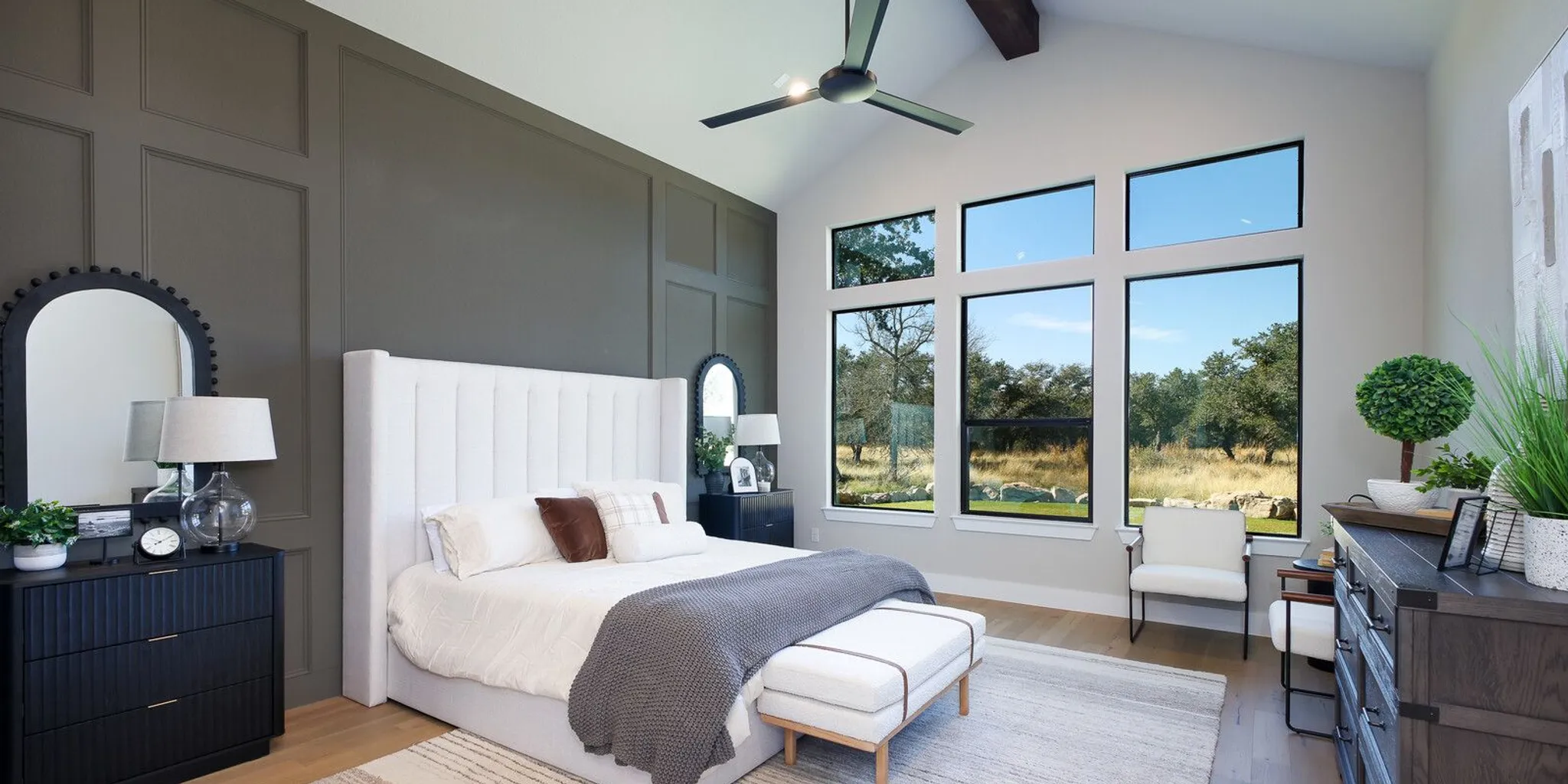
A productive home office needs more than a desk and a spare corner. When planning a home office design in Texas for custom homes, remote workers are often balancing video calls, focused work, family routines, and the desire for a room that still feels like part of a welcoming home. The best layout starts with how you work, then considers privacy, natural light, storage, wiring, and how the room may serve you in the future.
Discuss your custom-home plans with JLP Builders
Whether you already own a homesite or are still exploring your options, put the office on the planning list early. Its location can affect the floor plan, window placement, electrical layout, and how easily work stays separate from home life. Here is a practical way to think through those choices.
What matters most in home office design for Texas custom homes?
Begin with the tasks you do most often, not with a photograph of a room you like. A person who spends most of the day in video meetings has different needs from someone who reads, writes, designs, or handles calls while moving around. Many remote workers do a mix of these things, so a useful office supports more than one work mode.
Write down the main activities and what each requires. For example, video calls may call for a calm background and a place to position a camera. Reviewing large documents may benefit from a broad work surface and clear task lighting. A job involving sensitive conversations may make a door and separation from busy household spaces especially valuable. If you occasionally spread out plans, samples, or equipment, think about where those items can stay without covering the desk.
- Focused work: Identify what helps you concentrate, such as a quiet room, a view, or the ability to close a door.
- Meetings: Consider where a camera will face, what appears behind you, and whether household movement will interrupt calls.
- Equipment: List monitors, chargers, printers, and other devices so power and storage can be considered before construction details are set.
- Work hours: Think about whether your schedule overlaps with school, household activity, or another person's work calls.
This short workday inventory gives your design conversation a useful starting point. It also helps separate essentials from attractive extras that may not make a noticeable difference to your routine. To make the list concrete, describe a normal workday in blocks: the time you spend on calls, the periods when you need uninterrupted concentration, and the moments when you move between desk work and other tasks. Then mark which activities are fixed and which can happen elsewhere in the home.
For example, a person who has three scheduled calls each morning may need reliable quiet and a consistent camera setup more than a large library wall. Someone who reviews drawings or spreads out paperwork may value a second work surface and accessible storage. A household with two remote workers should consider the overlap: simultaneous calls, different privacy needs, and whether both people can work comfortably without competing for one room. These distinctions help determine whether the plan needs one dedicated office, two separate work areas, or one enclosed room plus a smaller flexible station.
Where should the office sit in the floor plan?
Location is one of the most consequential office decisions because it shapes both privacy and convenience. A room near the entry may make it easier to receive a client or delivery without leading someone through private parts of the home. A room away from the main gathering areas may reduce interruptions. On the other hand, if you need to keep an eye on household activity, an office closer to shared spaces may suit you better.
Consider the routes people take through the home. A desk wall beside a busy hallway may feel less private than the same-size room with a quieter approach. A room close to a kitchen can be convenient for breaks but may hear activity during calls. Think about early mornings, evenings, and days when multiple people are home, not only a typical quiet afternoon.
Also think about the office's relationship to bedrooms and living spaces. If work regularly runs late, placing the office so that calls and lighting are less likely to disturb others may be important. If two household members work remotely, discuss whether they need separate rooms, a shared workspace, or a primary office with a smaller secondary work spot. These are lifestyle decisions; there is no single arrangement that fits every household.
Sketch a simple day-in-the-life map: where you enter, where family members gather, where calls happen, and which rooms need to remain quiet. Then compare possible office locations against that map. When reviewing custom home floor plans, use those routines to identify what might need to change rather than assuming a room label alone tells you whether the layout will work.
A useful comparison is to evaluate each candidate location against the same few questions. How many shared rooms or circulation paths border it? Can someone enter or leave the home without crossing the office? Is there a nearby room where household activity is likely to be loud at the hours you work? Can the office door be closed without blocking a frequently used route? A simple sketch with arrows for household movement can reveal conflicts that are easy to miss when you only look at room names on a plan.
There are tradeoffs to weigh. Near the front of the home, an office may make meetings with visitors more convenient, but it might have more entry noise. Near the kitchen, it may be easy to take a break, but activity can be audible. At the back of the home, it may feel more private, though the walk to shared spaces is longer. Instead of treating one location as universally best, decide which interruptions you most want to prevent and which conveniences matter day to day.
When reviewing a layout, test more than the desk position. Imagine where a guest would sit, where a printer might go, and how someone could move around the room during a call. If you sometimes need to use a laptop away from the desk, consider whether there is a comfortable chair or another quiet spot nearby. Thinking in routes and tasks helps you assess how the office connects to the whole home.
How can you balance daylight, screen glare, and comfort?
Natural light can make an office feel open and pleasant, but the direction and position of windows matter. A bright window directly behind a monitor may create reflections, while a strong light source behind you can make video calls harder to manage. Consider where your desk and screens will sit in relation to windows, and test the arrangement on a sketch before the room's final details are decided.
Window coverings offer control as light changes throughout the day. They can soften direct sun, reduce distractions, and give you more control over a video-call background. Pair daylight with layered electric lighting: general room light for overall visibility and a task light for reading or detailed work. The aim is a comfortable working environment, not a room that depends on one source of light.
Include practical comfort in the discussion. Think about where the room's air supply and controls will be relative to the desk, how the room feels at the hours you typically work, and whether you prefer a view or fewer visual distractions. These details are easier to consider while the room is being planned than after furniture and equipment are in place.
Think through lighting as a sequence, not a single snapshot. Morning light can fall differently from afternoon light, and a room that seems balanced during a midday walk-through may feel very different during your actual work hours. If possible, note when direct sun reaches the proposed desk wall. That observation can guide whether the desk should face toward or away from a window and what kind of adjustable covering you might prefer. You do not need to eliminate daylight; the goal is to keep it useful without letting it overwhelm screens or calls.
Plan distinct lighting for distinct jobs. Overhead light can make the room generally usable, while a desk lamp can direct light onto notes or a keyboard. A background light or a fixture placed thoughtfully in relation to the camera can help calls feel less stark. Before settling on a plan, imagine working at the desk with the screen on, paper in front of you, and a camera active. Consider whether the light is comfortable for all three activities, and whether controls are reachable from the work position.
Comfort also includes the desk chair, foot space, and clear circulation around furniture. Mark the chair's pull-back area on a floor-plan sketch and check whether drawers, doors, and pathways remain usable when the chair is occupied. Decide whether the desk should face a window, face into the room, or sit against a wall. Each arrangement gives a different balance of view, screen placement, and background. The best choice is the one that works with your work habits and room conditions.
How much privacy and sound control do you need?
A home office can look polished and still be frustrating if every household sound carries into a meeting. Start by identifying the kinds of interruptions that matter most: conversation, television, doors opening, pets, or activity in a nearby shared space. Then think about practical ways the plan could limit them, such as choosing a quieter location or providing a door that can be closed.
Sound control is not only about keeping noise out. If you often speak during calls, consider whether voices from the office are likely to carry into nearby bedrooms or living spaces. A room with a useful buffer from active areas may help both the person working and the rest of the household. Furniture, rugs, window treatments, and other soft surfaces can also affect how a room feels acoustically once furnished.
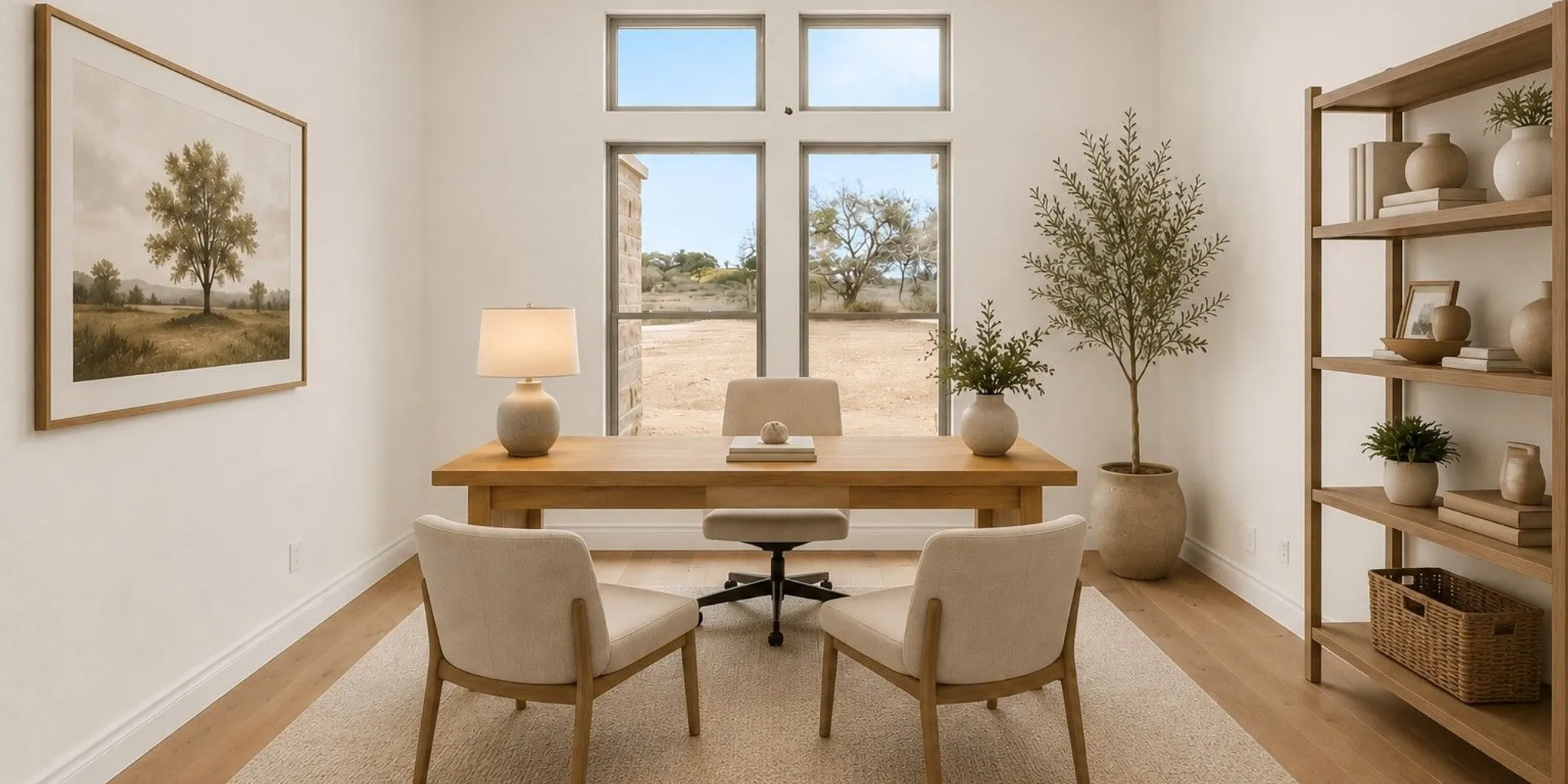
For video meetings, plan a simple background that does not require a last-minute reset before every call. A bookcase, restrained artwork, or an uncluttered wall can work, depending on your taste. Make sure the camera position, desk, and lighting all work together. Keep personal or sensitive materials out of the camera's view and easy to put away when the workday ends.
It helps to rank privacy needs rather than labeling the office simply quiet or noisy. A person who takes confidential calls may prioritize a door and distance from family gathering spaces. Someone whose work is mostly independent may be comfortable with a nearby activity room as long as traffic does not pass directly behind the desk. If children or other household members will be home during working hours, agree on what the closed door means and whether there is another place to ask quick questions.
Consider how the office will work in both directions. Noise may enter from the rest of the home, but calls and meetings may also carry outward. If one person is presenting while another is resting, the room's relationship to bedrooms matters. If the office is beside a living area, think about whether a call schedule overlaps with television or conversation. The plan cannot remove every sound, but identifying the likely conflicts early can help you choose a location and room arrangement that fits your tolerance.
For the camera background, test the real view from the seated position, not just the wall you hope to use. A door that opens into the frame, a bright window, or frequently used shelving may be distracting. If the room needs to change roles, consider a background that can be cleared quickly. Closed storage can hide files and equipment; open shelves can keep useful items accessible, but may need a little organization to look calm on screen.
What should you plan for power, connectivity, and equipment?
List the equipment you already use and anything you expect to add. A single laptop setup has different requirements from a workstation with multiple screens, a printer, and other devices. Note where you want the desk, charging points, and any equipment that needs a stable home. This can help the design team discuss outlet placement and cable management before the walls are finished.
Think about connectivity as a household need, not just an office need. Video calls, online collaboration, and entertainment may happen at the same time in different rooms. Ask how the planned layout and building materials may affect the location of network equipment and whether a wired connection should be considered at the desk. Internet availability and service quality depend on the specific location and provider, so verify those details for the homesite rather than assuming the same solution works everywhere.
Good cable management is useful even if your equipment changes. A clear route for cables, a place to hide power strips, and storage for chargers can keep the work surface easier to use. If you rely on a printer or scanner, decide whether it belongs in the office or in nearby storage. Keep frequently used items within reach and less-used supplies out of the way.
Make an equipment map before you discuss outlet locations. Draw the desk and note where the computer, screens, lamps, phone, headset, and chargers sit. Add any equipment that produces heat or needs to remain accessible, such as a printer or a network device. The point is not to predict every future purchase; it is to identify the kinds of connections and work surfaces that would be awkward to improvise later. Leave room for a changed setup rather than placing every outlet exactly around one current device.
Think about the whole household's connection needs too. If multiple people take calls or stream video at the same time, discuss where the router or network equipment might be placed and ask whether a wired connection at the office should be considered. The right answer depends on the home, service availability, equipment, and household expectations. Confirm internet options for the specific homesite with providers; do not assume a plan that works in one area is offered at another.
Separate daily-use gear from occasional-use gear. A headset, notebook, and charging cable may need to be close at hand, while spare paper or a scanner might be stored elsewhere. A dedicated charging drawer or shelf can reduce the number of loose items on the desk. For a shared office, label or assign storage zones so each person can leave work in progress without taking over the whole surface. Small organization decisions can make a compact room work more smoothly.
How should storage and furniture shape the room?
Measure the furniture you intend to use before finalizing the room's layout. Record the desk's width and depth, the chair's movement area, and any cabinets or shelves. Leave enough room to move comfortably and open drawers or doors. A room that appears generous on a plan can feel tight once equipment and furniture are added.
Built-in storage can give papers, books, and supplies a home, but it should match your actual habits. Open shelving keeps everyday items accessible and visible. Closed cabinets can make it easier to create a calm backdrop and conceal clutter. A combination often gives the most flexibility. Think about whether you need space for physical files, reference materials, a printer, or work in progress.
Also decide what happens at the end of the workday. If the office is visible from a shared space, storage that lets you close away paperwork and equipment can help the room feel less like a workplace after hours. If the office will double as a guest room or hobby space, plan where work materials go when the room changes purpose.
Start with an inventory of what actually needs to be stored. Separate active materials you reach for every day from archived papers, supplies, and equipment used only sometimes. Active materials should be easy to retrieve without interrupting work. Less-used items can go in a higher cabinet, a closed cabinet, or another storage area if that suits your routines. This helps prevent the room from being designed around a large cabinet that may not be necessary or a minimal shelf that cannot accommodate the work you do.
Draw furniture footprints to scale, including the chair when pushed back and when someone is seated. Then check clearances around the door, drawers, and closet. A desk may fit in a room but still block a cabinet or make the path to the window awkward. If you are considering a standing desk or adjustable workstation, account for the change in height and the space for cables and accessories. Make the arrangement work for both sitting and standing if you expect to use both modes.
Storage choices can support the room's visual character as well as its function. Open shelves make books and frequently used objects easy to see, while closed doors reduce visual clutter. If the office appears in video calls, decide which items you want visible and which should be easy to conceal. For a calm look, give papers and small electronics a designated place rather than relying on a clear desk at the end of every day. If multiple people use the office, define separate zones or containers so work does not get mixed together.
Can the office support more than one purpose?
Many households want a dedicated workspace without giving up a room that can serve another role. A guest room-office can work if the desk, storage, and sleeping arrangement do not compete for the same space. A flex room may support exercise, hobbies, or study alongside occasional remote work. The challenge is to plan those uses deliberately rather than expecting every function to fit without tradeoffs.
Ask how often each use will happen and what needs to remain set up. If work is daily and guests visit a few times a year, protecting the work setup may be the priority. If a second person needs the room during calls, the room's capacity for simultaneous use matters more than a foldaway guest bed. Furniture that can move or store efficiently may help, but it still needs a clear home.
Flexibility can also mean planning for a future change in work habits. You may shift to fewer home-working days, change equipment, or need a quieter study space. A thoughtful room can adapt without requiring you to predict exactly how your needs will evolve.
For a guest room-office, map out both versions of the room. In work mode, where does the chair move and where do papers stay? In guest mode, where will the desk chair, laptop, and sensitive materials go? Make sure changing the room does not require a complicated sequence of moving heavy furniture or balancing devices on the bed. A compact desk, wall-mounted shelves, or storage with doors might help, depending on the room and the work. The practical test is whether you would actually reset the space when guests arrive.
For a hobby or study combination, distinguish what can share a surface from what needs dedicated space. Reading, writing, and laptop work may coexist with a clear desktop, while projects that need tools or materials left out may require a separate worktop or cabinet. Decide whether the room should remain ready for work or whether it can be converted between uses. This question affects storage, furniture, and how much clear floor space you need.
Plan for the possibility that work needs change. A room designed around a single monitor and one chair may later need more equipment or a second workstation. Leaving an adaptable wall, flexible storage, or space for a different desk can make future adjustments easier. You do not need to overbuild for every imagined scenario; identify the likely changes and avoid locking the room into an arrangement that is difficult to revise.
How can the office reflect your home's style?
A functional office does not need to look separate from the rest of the house. Connect it to the home's overall palette and materials, then use furniture and accessories to give the workspace its own character. In a Texas Hill Country home, design preferences may include Transitional, Farmhouse, Modern Farmhouse, Contemporary, or Spanish Style elements. The right choice depends on the home's broader design and what feels comfortable to you.
Consider how finishes will look in both daylight and artificial light. A dramatic wall color may make a strong video-call background, while a quieter palette may help the room feel restful after work. Durable surfaces, easy-to-clean finishes, and storage that suits your workflow can be as important as the visual effect. Bring examples of furniture or rooms you like to a design discussion, and explain what you like about them: the light, layout, colors, or organization.
Use references to communicate a feeling and a practical goal rather than treating a photo as a fixed specification. If you like an image because it feels bright, identify the window treatment, wall color, or desk position that contributes to that effect. If you like the orderly appearance, notice whether it comes from closed cabinets, fewer objects, or built-in shelves. This helps translate inspiration into choices that fit the office and the rest of the home.
Think about the room from outside as well as from the desk. If the door remains open, the office may be visible from a hall or shared room. A coordinated palette can make that view feel connected to the rest of the home. If the door is usually closed, you may have more freedom to create a distinct workspace. In either case, decide whether the office should feel like a quiet retreat, a natural extension of nearby rooms, or a combination of both.
Choose finishes and furniture with daily use in mind. A desktop may need to accommodate a laptop, screens, documents, and a drink. Shelves may need to hold books and supplies without feeling crowded. If the room will host guests, its appearance and comfort during that use matter too. Style is most useful when it supports the room's purpose instead of making routine tasks harder.
How do you compare office layout options before settling on one?
It can be difficult to compare two floor-plan options by memory. Use the same checklist for both, and imagine the same workday in each. Rate the basics as essential, preferred, or optional rather than treating every nice-to-have as a requirement. For example, a door may be essential for private calls, while a view may be preferred and a separate printer cabinet optional. This makes it easier to discuss tradeoffs without losing sight of the reasons the room matters.
- Privacy: Can you close the room off, and what household routes or active spaces are nearby?
- Desk position: Is there a practical wall or window arrangement for your screen, camera, and task light?
- Movement: Can the chair move, drawers open, and people pass without interrupting the work area?
- Storage: Is there room for daily materials, equipment, and items that should be hidden after work?
- Flexibility: Can the room support a second purpose or a likely change in work setup?
Then mark any deal-breakers. A layout may be attractive overall but unsuitable if the only desk wall places a window behind the monitor, or if the office door opens directly into the chair area. Another plan might have less storage built in but a more useful quiet location. Listing the compromises helps you decide whether a change to the room is worth asking about, or whether another location better matches your daily needs.
Try a furniture-layout sketch with rough measurements. Place the desk, chair, cabinets, and printer, then draw the paths from the door to the desk and storage. If more than one person will use the room, sketch each person's typical position and test whether they can work at the same time. The sketch need not be a formal drawing. Its purpose is to expose conflicts early, when options can still be discussed.
Finally, check the office as part of the whole plan. Ask whether its location supports household routines and whether the room's windows, doors, and adjacent spaces work together. A good office does not need to be the largest room. It needs to be appropriately placed, easy to use, and designed around the work and life that will happen there.
What should you bring to a floor-plan or design conversation?
A few concrete details can make planning more productive. Bring a list of work activities, approximate hours, equipment, and the number of people who may use the office. Add furniture measurements, a note about sound or privacy concerns, and examples of the kind of atmosphere you want. If you already own a lot, note any known site considerations you want to discuss with the builder and design team.
- Describe a typical workday and which activities require the most concentration.
- Show where you expect to position a desk, screens, camera, and lighting.
- Identify household routines that could create interruptions or privacy concerns.
- List storage needs and whether the room should serve another purpose.
- Share style references and the practical details you value in those examples.
If you are comparing possible layouts, review the full home rather than judging the office in isolation. The custom home building process is a useful place to learn about how planning and building decisions fit together. The early conversation is a chance to clarify priorities and ask which choices need to be settled before construction details move forward.
Bring a short list of questions, too. Ask what choices need to be made early, which can be adjusted later, and what information the team needs to evaluate the office location. If you are not sure whether a room should be larger, first explain what needs to fit and how you plan to use it. A clear description of tasks, furniture, and storage is more useful than an unexplained request for extra space.
If the office depends on a particular desk, chair, or storage piece, bring dimensions or a photo with measurements. If you have not selected furniture, bring the size range you are considering. Note which items are fixed and which can change. A workstation you already own may dictate a different arrangement than a future purchase, while a printer or file cabinet that can move elsewhere may not need to shape the room.
Talk about the end-of-day transition as well as the workday itself. Do you want the room to close off visually, stay ready for the next morning, or switch to another use? Will documents or equipment need to be put away for privacy? Answers can guide storage and door placement. If there are two remote workers, describe when their schedules overlap and whether they both need quiet at the same time. Specific examples help the design conversation stay grounded in everyday life.
Use JLP Builders' floor-plan options as a starting point for discussing what type of layout suits your household, not as a substitute for describing your office needs. A plan name alone cannot tell you whether a room will work for your chair, monitor position, call schedule, or storage. Treat the floor plan as a framework to review alongside your priorities.
What is a practical sequence for planning the workspace?
Once you have a list of needs, work through the decisions in an order that keeps the room usable. Start with the room's purpose and location, then fit the largest pieces of furniture, and finally consider lighting, storage, and smaller equipment. This sequence can prevent a common mismatch: selecting shelves or decorative details before confirming that the desk and chair fit where you need them.
- Define the work pattern. Identify regular calls, focused tasks, hours, users, and any privacy requirements.
- Choose a location to evaluate. Compare likely rooms against household routes, nearby activity, and the amount of separation your work needs.
- Place the workstation. Sketch the desk, chair, screen, camera, and task light, then check the window and door positions.
- Plan support needs. Add storage, printer space, charging, and connectivity considerations once the core arrangement makes sense.
- Test the room's other roles. If it is also a guest room or hobby space, sketch that setup too and decide where work materials go.
For example, imagine a household where one person takes morning video calls, another works at a nearby kitchen table, and guests stay overnight several times a year. The office may need a door and a camera-friendly wall, but the key question is whether its location keeps calls away from the busiest route. A guest bed could fit, yet the plan also needs a dedicated place for the desk chair and work materials when visitors arrive. Writing down those overlapping needs makes the tradeoffs visible instead of relying on a vague goal like "make it multifunctional."
Another household may have two people working from home every day. In that case, decide whether one enclosed office can serve them at different times or whether simultaneous calls make separate work zones more practical. A shared desk can be efficient if schedules rarely overlap and both users can adjust equipment. If both need privacy at once, a second quiet location elsewhere may be more valuable than adding storage to the primary office. These are household-specific decisions, so use actual schedules rather than assuming everyone follows the same routine.
Before finalizing details, do a final walk-through on paper. Imagine entering with a laptop, sitting down, joining a call, reaching for supplies, and finishing the day. Check that a visitor or family member can pass through without crossing the camera view or colliding with the chair. Then imagine the room at night or during a different household activity. This quick scenario test often reveals small layout conflicts while there is still time to discuss alternatives.
Keep a short record of the decisions and open questions. Mark which items are must-haves, which are preferences, and which can be adjusted after move-in. Examples might include a closable door as a priority, a window view as a preference, and decorative shelving as something to decide later. This gives the planning conversation a clear direction without pretending that every detail must be settled at once.
Start a conversation about your home office plans
Frequently Asked Questions
Should a home office have a door?
A door can help you limit interruptions and separate calls from nearby activity. Whether it is essential depends on your work, household routines, and the room's location. If you regularly need quiet or privacy, include that need when comparing possible layouts.
Is a window important in a home office?
A window can provide daylight and a view, but desk and screen placement should account for glare and changing light. Consider adjustable window coverings and layered lighting so you can adapt the room throughout the day.
Can a guest room also function as an office?
Yes, if both uses have enough space and a clear plan. Measure the furniture, consider where work items will be stored when guests arrive, and decide which use needs to stay set up day to day.
When should I plan the office in a custom home?
Bring it up while reviewing the floor plan and design decisions, before the room's layout and key details are settled. Early discussion gives you a chance to consider location, furniture, lighting, power, and storage together.
Contact JLP Builders to discuss your custom home
A home office works best when its design reflects the real shape of your workday. Start with the tasks, privacy, and equipment you need, then make choices that allow the space to feel comfortable and connected to the rest of your home.